Turn repeat marketing work into a workflow
A workflow is a short set of steps that runs for you: ask AI, search the web, read a web page, check before continuing. Start from a template or build your own.
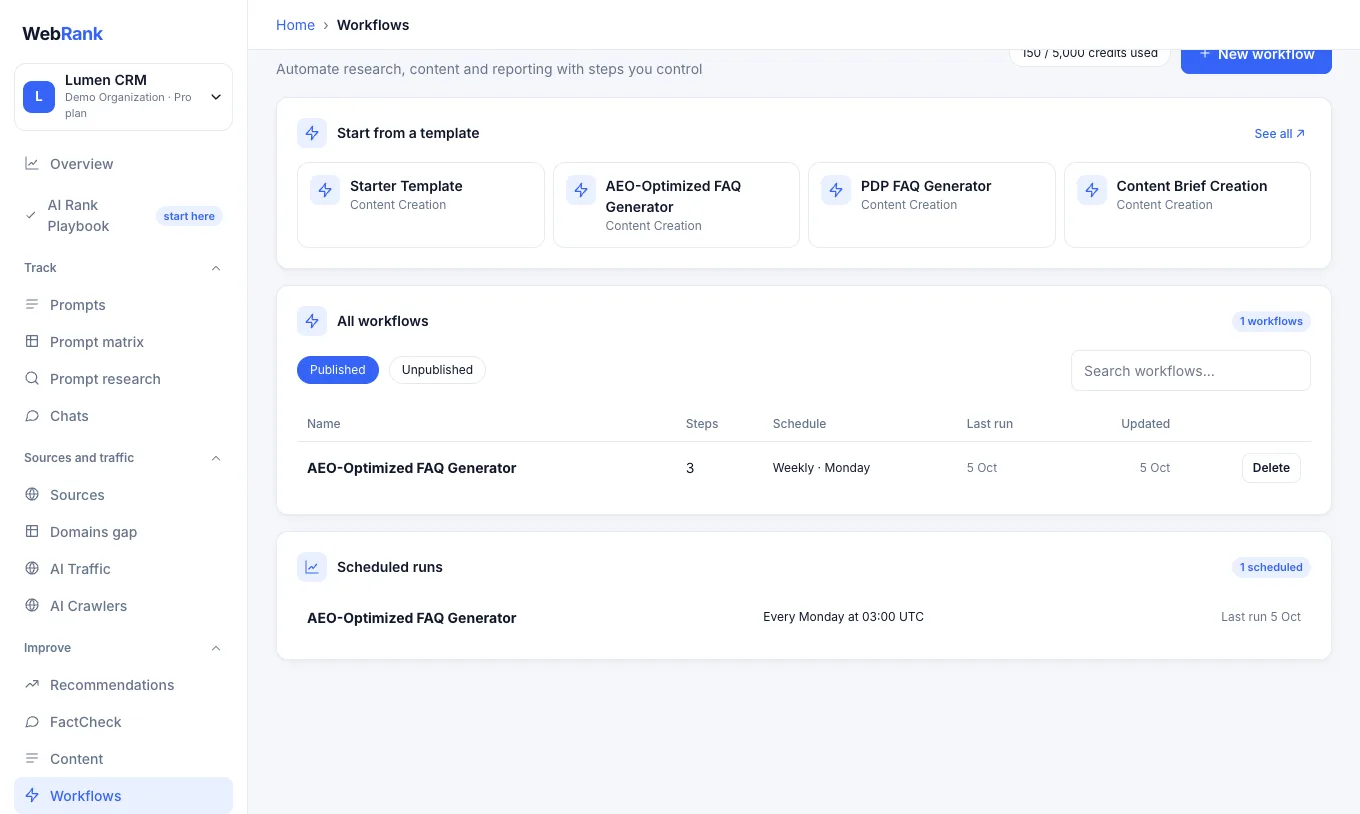
Screenshot and illustration use sample data.
Workflows
What is Workflows?
A workflow is a short, repeatable set of steps that WebRank runs for you, such as asking an AI, searching the web, reading a page and checking a result before continuing. Workflows automate research, content and reporting jobs that you would otherwise repeat by hand every week.
By the WebRank team · Updated
Key terms
- Start
- The inputs you provide for each run.
- Step
- One action, such as asking AI or reading a page.
- Result
- The output of the whole run.
- Workflow credit
- The unit runs are charged in. Your plan includes a monthly amount.
- Schedule
- Daily or weekly automatic runs.
Why does it matter?
Much marketing work is the same recipe every time: research a topic, draft a brief, check a page, write the FAQ. Doing it by hand is slow and inconsistent, and the knowledge lives in someone's head.
A workflow writes the recipe down. Once it works you can run it on demand or on a schedule, and anyone on the team gets the same result.
What you can do
Ready-made helpers
Templates such as an FAQ builder, a content brief writer and a forum reply drafter.
Simple builder
Start, steps and result. Pick steps from a list, and use the buttons under a step to reuse an earlier result.
Test, publish, schedule
Run a test, publish it, and set it to run daily or weekly.
Pay for what ran
A run costs workflow credits, and only the steps that ran are charged.
How it works
How does Workflows work?
A workflow has three parts: a Start (what you give it each time, for example a topic or a page address), steps that run one after another, and a Result. Steps include asking AI, searching the web, reading a web page and checking a condition before continuing. Where a step needs your answer or an earlier result, buttons under its box insert it.
Press Run test to see the result of every step, then Publish it and optionally set a schedule of daily or weekly. A run costs workflow credits, at least 25, and only the steps that actually ran are charged. Ready-made templates, such as an FAQ builder, a content brief writer and a forum reply drafter, give you a working starting point.
- 01Choose a templateOr start from a blank workflow.
- 02Run a testSee the result of every step.
- 03Publish and scheduleLet it run on its own.
Illustration with sample data.
A workflow takes a topic, searches the web for the top pages, reads two of them, asks AI to write a question-led outline using your brand facts, and returns the brief. You run it for ten topics in an afternoon instead of a week.
DoTips for getting it right
- Start from a template and change one thing at a time.
- Run a test before publishing and read every step's output.
- Keep inputs simple. A topic and a page address are enough for most recipes.
- Add your facts in Agent Brain so outputs are accurate.
KnowWhat it cannot do
- –Workflows are only as good as their steps. Always review output before publishing.
- –Credits are limited per month by plan.
What are the common mistakes?
Who uses Workflows?
What you will be able to say
Questions people ask
What does a run cost?
At least 25 workflow credits, and only the steps that ran are charged. Your plan includes a monthly amount.
Can workflows run on a schedule?
Yes, daily or weekly once published.
Do I need to code?
No. You pick steps from a list.
Are there templates?
Yes, including an FAQ builder, a content brief writer and a forum reply drafter.
Can I test before publishing?
Yes. Run test shows the result of every step.
Find out what AI says about your brand
Start a 3-day free trial with every feature open. Cancel before it ends and pay nothing.
Start free trial