Measure the visitors that AI recommendations actually bring
Visibility tells you whether assistants mention you. AI Traffic tells you whether people then visit. It reads your Google Analytics 4 data, read-only.
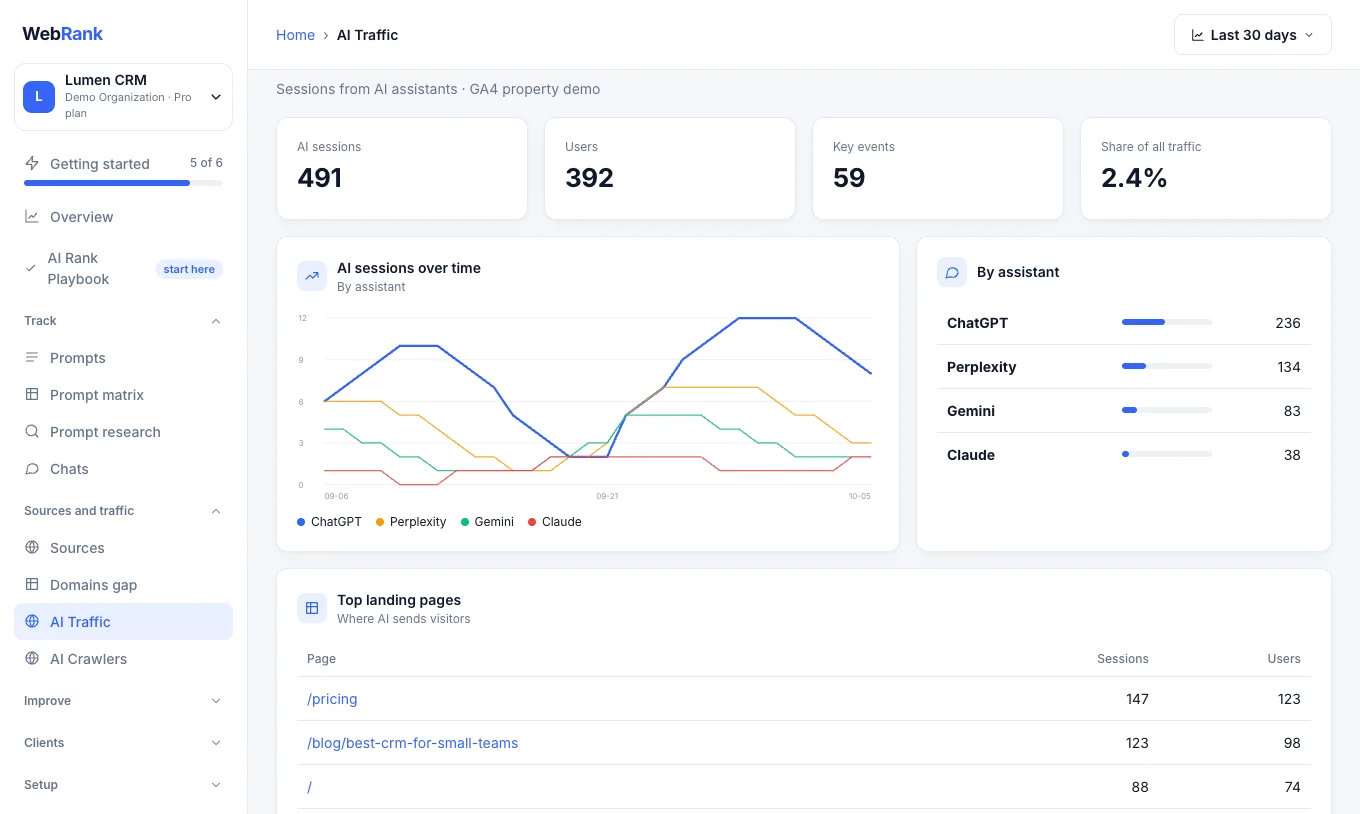
Screenshot and illustration use sample data.
AI Traffic
What is AI Traffic?
AI traffic is the share of your website visits that arrive from AI assistants such as ChatGPT, Perplexity, Gemini and Claude. WebRank reads it from your own Google Analytics 4 property, read-only, and shows sessions, users and landing pages by assistant over the period you choose.
By the WebRank team · Updated
Key terms
- AI session
- A visit whose source is an AI assistant.
- Share of traffic
- AI sessions divided by all sessions.
- Landing page
- The first page a visitor sees.
- Key event
- An action you track in GA4, such as a sign-up.
Why does it matter?
Visibility says assistants mention you. Traffic says people act on it. Without the second number you cannot tell whether being mentioned is worth anything, or which pages turn a mention into a visit.
AI traffic is usually small at first and grows. Seeing it next to visibility helps you judge whether the effort is paying off over months, not days.
What you can do
AI sessions and users
Sessions, users and key events that came from ChatGPT, Perplexity, Gemini, Claude and other assistants, and their share of all traffic.
Over time
A chart split by assistant, covering the full period you choose.
Landing pages
The pages where AI sends visitors, so you know which pages earn recommendations.
Read-only access
WebRank asks only for the analytics.readonly permission. It cannot change your Analytics, and you can disconnect at any time.
How it works
How does AI Traffic work?
You connect Google Analytics with the analytics.readonly permission, choose the GA4 property that measures your site, and WebRank reads aggregated reporting data: sessions, users, key events and landing pages for traffic whose source is a known AI assistant, plus total sessions to compute the share.
Nothing in Analytics is changed, no individual visitors are read, and you can disconnect at any time, which revokes the access with Google and deletes the stored credential.
- 01Connect Google AnalyticsSign in and approve read-only access.
- 02Choose the propertyPick the GA4 property that measures your website.
- 03Read the reportIt fills in within a minute.
Illustration with sample data.
Of 12,000 monthly sessions, 240 come from AI assistants, which is 2%. Most land on one comparison page. That page is earning recommendations, so you improve it and link to it from related pages.
DoTips for getting it right
- Check the date range. Short ranges look empty.
- Look at landing pages, not just totals.
- Pair the chart with visibility to see whether they move together.
- Make sure the GA4 property you picked tracks this website.
KnowWhat it cannot do
- –Some AI visits arrive without a referrer and cannot be separated from direct traffic.
- –The Google connection is going through Google's app review, so Google may show a notice that the app is not yet verified. Everything else works without it.
What are the common mistakes?
Who uses AI Traffic?
What you will be able to say
Questions people ask
Is the connection verified by Google?
The connection is going through Google's app review. Until it finishes, Google may show a notice that the app is not yet verified. Everything else in WebRank works without it.
Why are my numbers zero?
AI traffic is a small share for most sites at first. Try a longer range and check that the property you chose tracks this website.
What access do you ask for?
Only analytics.readonly. WebRank cannot change anything in Analytics.
How do I disconnect?
Open AI Traffic, choose Manage connection, then Disconnect.
Which assistants are included?
ChatGPT, Perplexity, Gemini, Claude and other known AI sources.
AI Crawlers
Which AI bots read your site, which pages they visit and where they fail.
AI Visibility Tracking
The share of AI answers that mention you, tracked every day on the real assistants.
Recommendations and AI Rank Playbook
A guided, ordered plan to get recommended, with results measured before and after.
Find out what AI says about your brand
Start a 3-day free trial with every feature open. Cancel before it ends and pay nothing.
Start free trial