Know exactly what to do next to get recommended by AI
Recommendations turn your data into a to-do list. Each step explains why it matters, how to do it, and how much impact and effort to expect.
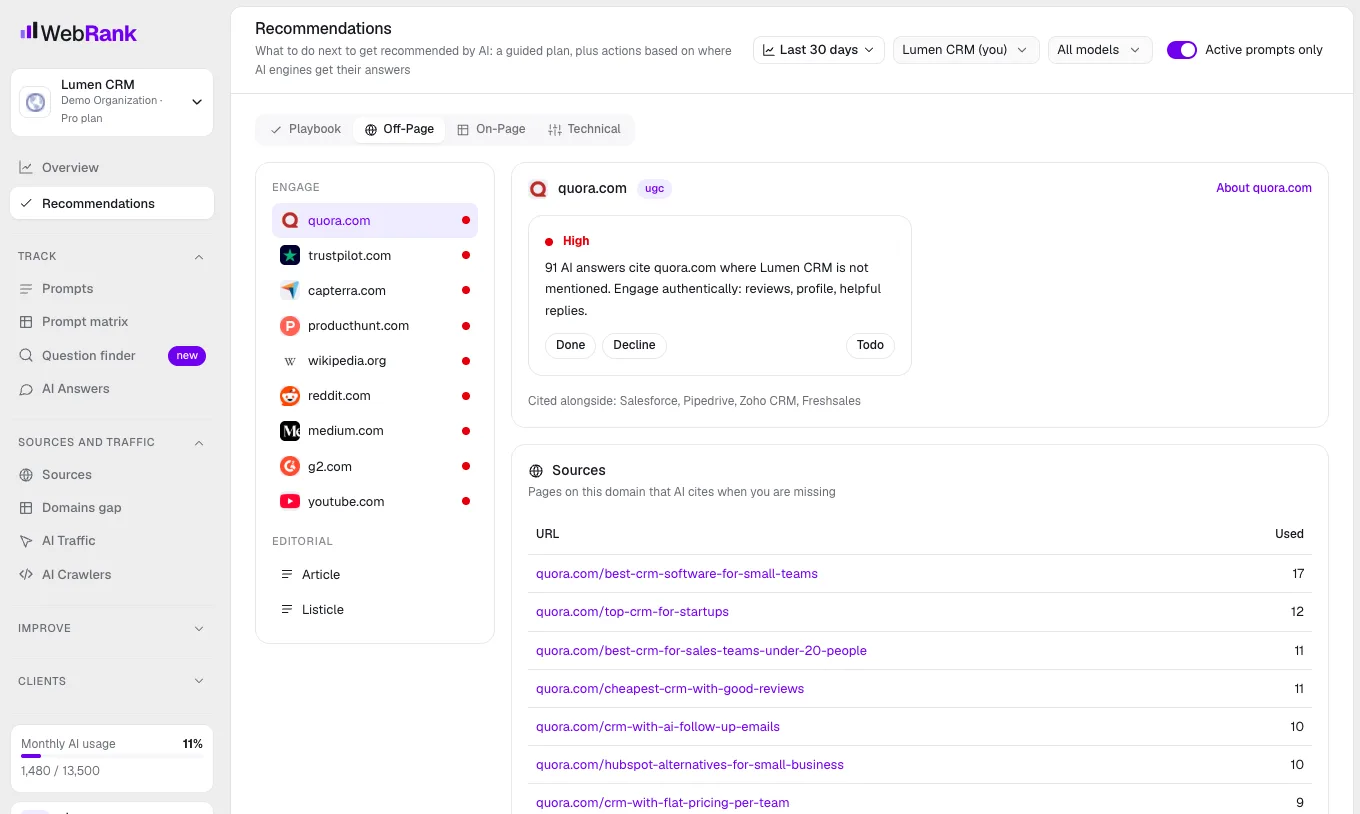
Screenshot and illustration use sample data.
Recommendations and AI Rank Playbook
What is Recommendations and AI Rank Playbook?
The AI Rank Playbook is a guided, ordered plan for getting recommended by AI assistants. In WebRank it sits in Recommendations alongside off-page, on-page and technical tabs, and each step explains why it matters, how to do it, and how much impact and effort to expect.
By the WebRank team · Updated
Key terms
- Stage
- A group of steps, from technical access to measurement.
- Impact and effort
- How much a step helps and how hard it is.
- Detected
- A badge shown when WebRank can see the step is done.
- Off-page
- Actions on other websites.
- On-page
- Actions on your own pages.
Why does it matter?
Dashboards tell you where you stand but rarely what to do. Most teams stall at "now what?". An ordered plan, built on your own data, turns measurement into work.
Order matters. If assistants cannot read your site, content and mentions will not help. Starting with the cheap, blocking fixes saves effort.
What you can do
AI Rank Playbook
Six ordered stages: let AI read your site, set up tracking, publish pages AI can quote, get mentioned where AI looks, fix what AI gets wrong, measure and repeat.
Steps that tick themselves
When WebRank can see you did it, for example that crawlers are allowed, the step ticks and shows a Detected badge.
Off-page, on-page and technical
Specific actions based on your own results, including a technical check with page speed from Google.
Impact and effort
Steps marked high impact and low effort come first.
Measured results
After you finish steps you can see how visibility changed compared with before.
How it works
How does Recommendations and AI Rank Playbook work?
The playbook has six stages: let AI read your site, set up tracking, publish pages AI can quote, get mentioned where AI looks, fix what AI gets wrong, and measure and repeat. Steps tick themselves when WebRank can detect that you did them, for example that crawlers are allowed, and show a Detected badge. Other steps you mark done or skip.
The Off-page, On-page and Technical tabs list specific actions drawn from your own results: domains where rivals are cited, pages that need clearer answers, and technical checks including page speed. After you complete steps, results compare visibility before and after.
- 01Open RecommendationsThe Playbook tab opens first.
- 02Start with stage oneTechnical access is cheap and blocks everything else.
- 03Do it, then checkMark steps done and watch the results.
Illustration with sample data.
Your first stage shows that one AI bot is blocked in robots.txt. That is a high-impact, low-effort fix. You change one line, the step ticks, and the next stage asks you to publish a page that answers a question buyers ask.
DoTips for getting it right
- Do stage one first. It is usually quick and blocks everything else.
- Pick steps marked high impact and low effort when you have little time.
- Skip steps that do not apply and bring them back later.
- Check results a few weeks after finishing steps, not the next day.
KnowWhat it cannot do
- –No one can guarantee a result. AI assistants are not search engines. The playbook is built on published research and what we observe in your data.
- –Some steps need a developer or someone who manages your site.
What are the common mistakes?
Who uses Recommendations and AI Rank Playbook?
What you will be able to say
Questions people ask
Can you promise a result?
No. AI assistants are not search engines and no one can guarantee a result. The playbook is built on published research and what we observe in your data, and it shows the evidence for each step.
Do I need to be technical?
No. Each step is written in plain language, and the technical ones come with the exact instructions for you or your developer.
How do steps get ticked?
Automatically when WebRank can detect them, otherwise when you mark them done.
Can I skip a step?
Yes, and bring it back later.
What does the Technical tab check?
AI crawler access, page speed from Google and other readiness checks.
Find out what AI says about your brand
Start a 3-day free trial with every feature open. Cancel before it ends and pay nothing.
Start free trial