Show results to someone else without building a spreadsheet
Agencies and in-house teams need to report. WebRank gives you a branded PDF, a live read-only dashboard link and a weekly email.
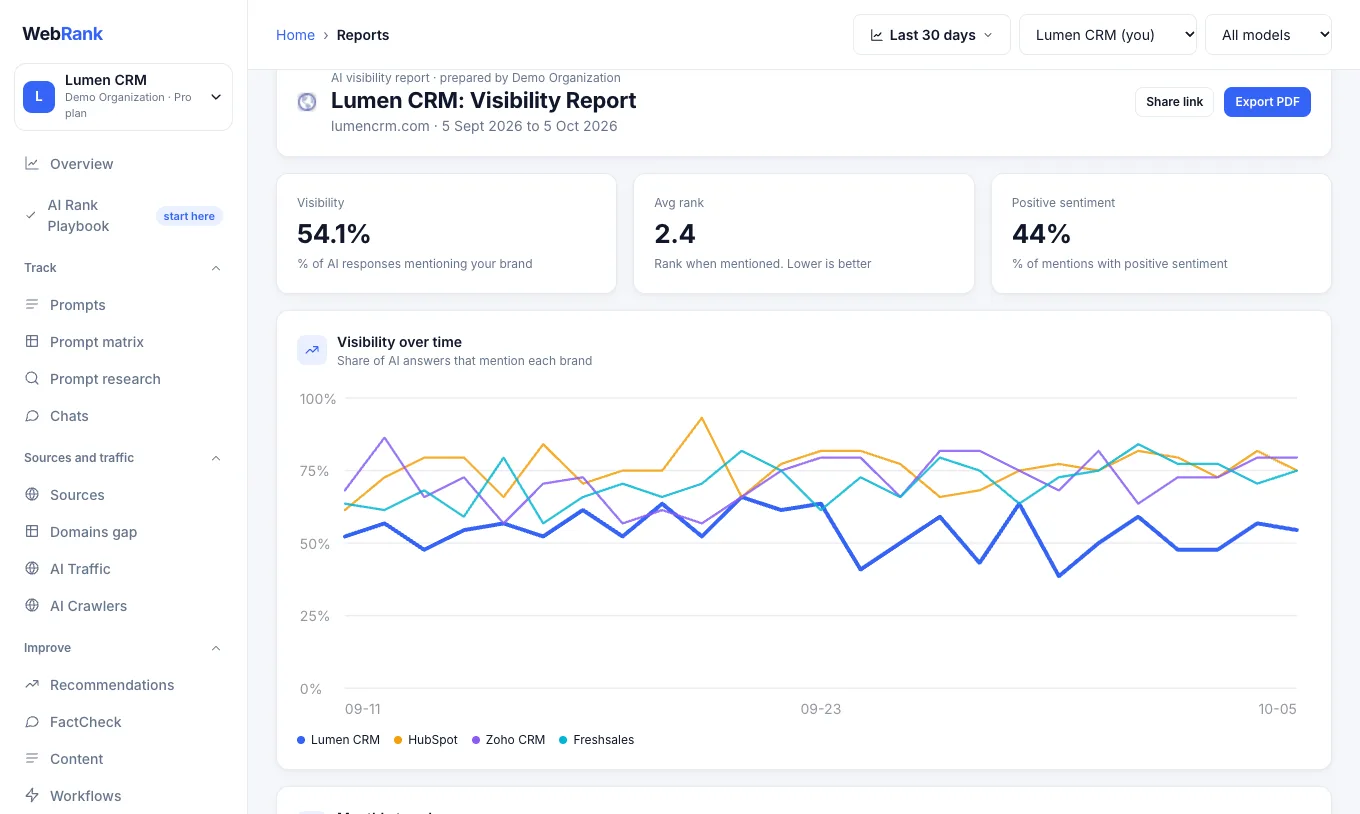
Screenshot and illustration use sample data.
Reports and Shared Dashboards
What is Reports and Shared Dashboards?
Reports in WebRank turn your AI visibility data into something you can hand to someone else: a branded PDF, a live read-only dashboard link, and a scheduled email. Agencies and in-house teams use them to show clients and managers what changed without building a spreadsheet.
By the WebRank team · Updated
Key terms
- White-label
- Output without WebRank branding.
- Share link
- A read-only live dashboard URL.
- Revoke
- Turn a link off.
- Email report
- A scheduled summary sent by email.
Why does it matter?
Measurement only matters if someone acts on it. A report that is easy to send and easy to read gets read; a login nobody remembers does not.
For agencies, reporting is a recurring cost. White-label output and links that stay live cut it from a day to minutes.
What you can do
White-label PDF
Choose the period and sections, add your name, the client name and notes, and remove WebRank branding for client work.
Share link
A read-only live dashboard for the period you are viewing. Copy it, label it, revoke it any time.
Your own domain
Put client dashboards on your own domain.
Email reports
A scheduled email report with a link to the live view.
How it works
How does Reports and Shared Dashboards work?
Open Reports, choose the period, and export a PDF with the sections you want: visibility over time, a monthly trend, prompts and brands. Add who prepared it, the client name and notes, and choose a white-label option that removes WebRank branding. Save it as PDF from the print dialog.
Share link creates a read-only dashboard for the period you are viewing. You can label each link, copy it and revoke it. Dashboards can be served from your own domain, and an email report can send a scheduled summary with a link to the live view.
- 01Open ReportsPick the period.
- 02Export or sharePDF, link or email.
- 03Revoke any timeLinks stop working when you revoke them.
Illustration with sample data.
At month end you export a white-label PDF for each client in a few clicks, add a two-line note, and send each client a live link so they can look any time. You revoke the link when the contract ends.
DoTips for getting it right
- Add a short written note. Numbers alone rarely persuade.
- Use one link per client, labelled with their name.
- Revoke links you no longer need.
- Include prompts and brands so clients see the evidence.
KnowWhat it cannot do
- –Anyone who has a link can see the dashboard until you revoke it, so share it carefully.
- –The PDF uses your browser's print dialog.
What are the common mistakes?
Who uses Reports and Shared Dashboards?
What you will be able to say
Questions people ask
Who can see a shared link?
Anyone who has the link, until you revoke it, so share it carefully.
Is the PDF really white-label?
Yes, there is an option that removes WebRank branding.
Can reports use my domain?
Yes, client dashboards can be served from your own domain.
Can I send reports by email?
Yes, a scheduled email report links to the live view.
Which periods can I choose?
Any period you can filter the dashboard by.
Pitches
Audit any company's AI visibility in about 30 seconds, to win it as a client.
Teams and Workspaces
Unlimited workspaces and teammates on every plan, with clear roles.
AI Visibility Tracking
The share of AI answers that mention you, tracked every day on the real assistants.
Find out what AI says about your brand
Start a 3-day free trial with every feature open. Cancel before it ends and pay nothing.
Start free trial