API, MCP and Looker Studio
Your data belongs to you. WebRank gives you a REST API, an MCP server for AI tools, CSV and JSON exports, and a Looker Studio connector. All of them live on the Developers page.
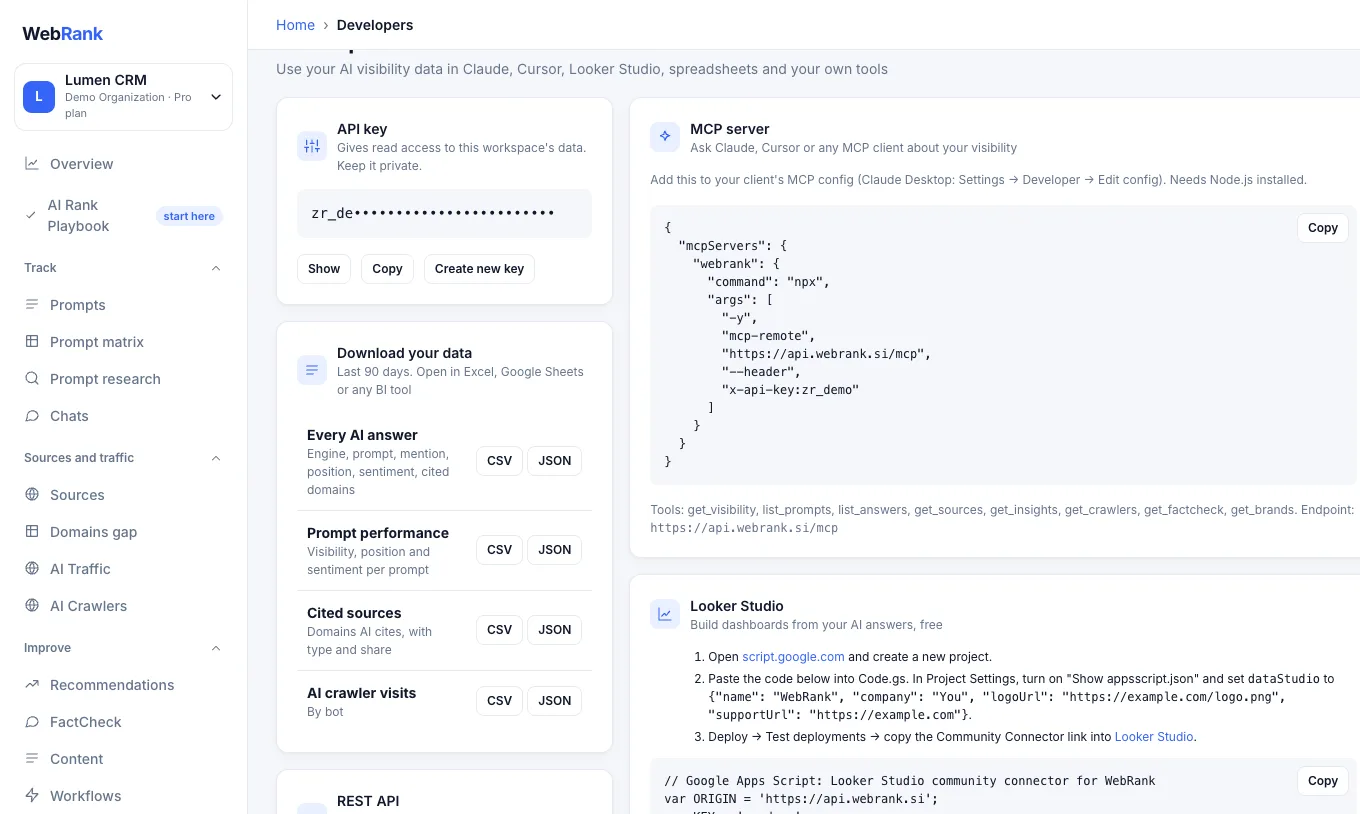
Your API key#
Open Developers to see the API key of the current workspace. It gives read access to that workspace's data, so keep it private. Choose Create a new API key if it leaks. Anything using the old key (MCP, Looker Studio, scripts, the crawler snippet) stops working until you update it.
REST API#
The base address is https://api.webrank.si. Send your key in the x-api-key header, or as a Bearer token.
curl "https://api.webrank.si/v1/visibility?days=30" \
-H "x-api-key: YOUR_API_KEY"| Endpoint | Returns |
|---|---|
GET /v1/visibility?days=30 |
Overview, leaderboard and trend |
GET /v1/prompts |
Prompt performance |
GET /v1/answers?days=30&engine=&limit=100 |
Raw AI answers with mentions, position, sentiment and cited domains |
GET /v1/sources |
Cited domains and URLs |
GET /v1/brands |
Tracked brands (you and competitors) |
GET /v1/crawlers?days=30 |
AI crawler activity |
GET /v1/factcheck |
The latest FactCheck |
GET /v1/rows?days=90 |
One flat row per answer, for BI tools |
GET /v1/export |
Exports as CSV or JSON |
A missing or wrong key returns HTTP 401.
MCP server#
The MCP server lets Claude, Cursor or any MCP client ask about your visibility in plain language. Add this to your client's MCP configuration (in Claude Desktop: Settings, Developer, Edit config). It needs Node.js installed.
{
  "mcpServers": {
    "webrank": {
      "command": "npx",
      "args": ["-y", "mcp-remote", "https://api.webrank.si/mcp", "--header", "x-api-key:YOUR_API_KEY"]
    }
  }
}
Available tools: get_visibility, list_prompts, list_answers, get_sources, get_insights, get_crawlers, get_factcheck and get_brands. Then ask, for example: "How did my AI visibility change this month, and which competitor gained most?"
Looker Studio and spreadsheets#
For a quick start without code, download the CSV from the Developers page and import it into Looker Studio or Google Sheets. For a live connection, the Developers page contains a ready-made Google Apps Script community connector: paste it into a new Apps Script project, deploy it, and add the connector link in Looker Studio. Each row is one AI answer.
Warning: The connector script contains your API key. Do not post it publicly.
Related#
Was something unclear or missing? Tell us. Last updated 2026-10-06.