Reading your results
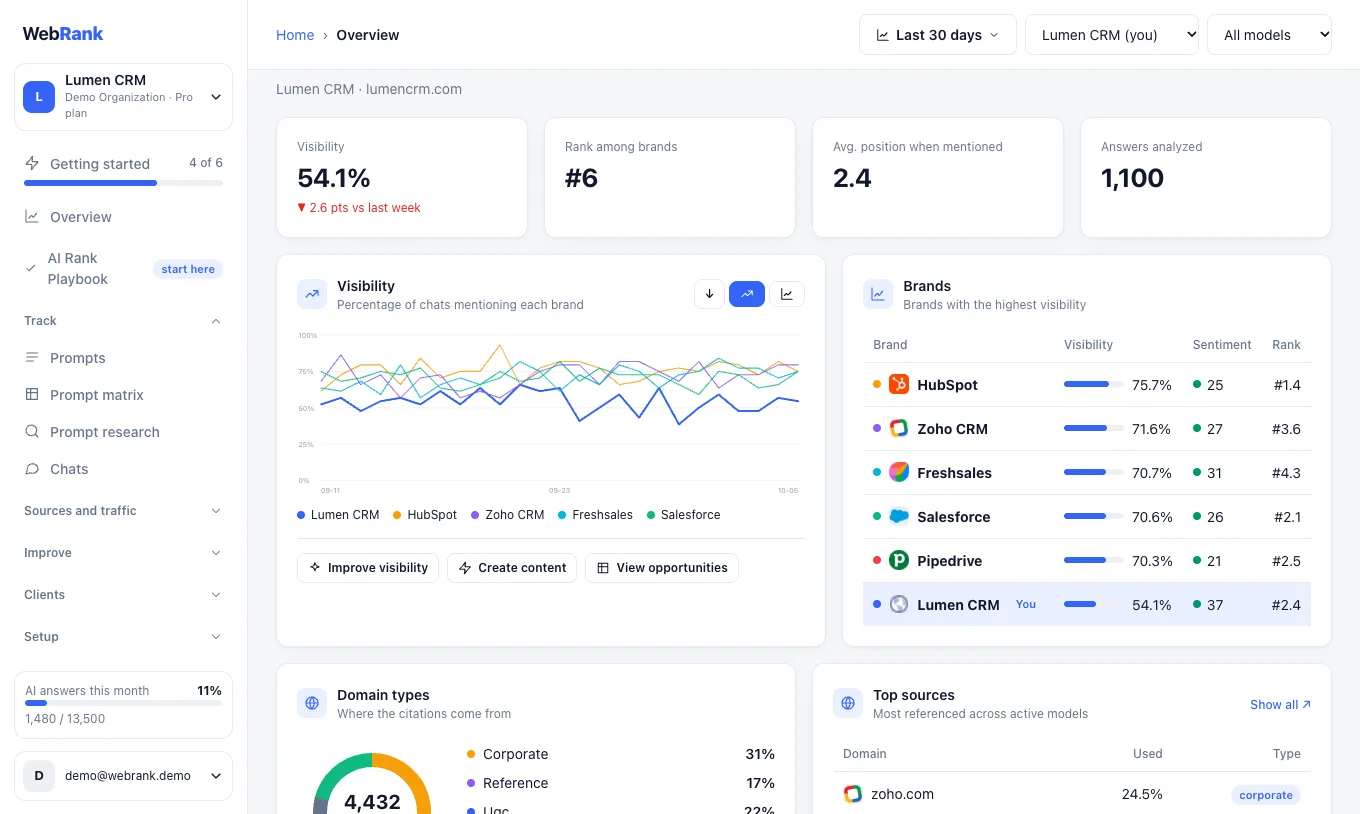
This page explains every number on the Overview and how to judge it.
The core metrics#
| Metric | What it means |
|---|---|
| Visibility | The share of AI answers that mention your brand. If 4 of 10 collected answers name you, visibility is 40%. |
| Rank | Your place among the tracked brands, ordered by visibility. |
| Average position | Where your brand appears in an answer when it is mentioned. 1 means first. Lower is better. |
| Sentiment | How positively the assistants talk about your brand when they mention it. |
| Citations | Websites an assistant used as sources for its answer. |
Why visibility can be 0%#
A new brand often starts at zero. It means the assistants do not recommend you yet for the questions you track. That is a starting point, not an error.
Check your questions too. A question that contains your own brand name, such as "What is Acme like to work with?", will always mention you and show a high number. Questions a buyer asks before knowing any brand, such as "best project management software for startups", show your real visibility. WebRank suggests mostly questions of the second kind, and you can add your own.
Why answers change from day to day#
Assistants do not give the same answer every time, and answers differ by country and by whether the person is logged in. WebRank asks many times and reports the share, so trends over weeks matter more than a single day. Trend lines appear once you have two or more days of data.
Compare with competitors#
The leaderboard lists you and the competitors WebRank tracks. If a competitor you know is missing, add it on the Brands page. If every competitor shows 0%, they may be companies assistants rarely name. Use Re-detect competitors from site on the Brands page to refresh the list with better-known names.
Where the answers come from#
Some assistants list the websites behind an answer. The Sources page shows which ones are cited most, and where competitors are cited and you are not.
Filter the view#
The bar above every page lets you change the date range, the brand you focus on and the AI model. Choosing a single model shows how that assistant treats you, which is useful because each one behaves differently.
Related#
Was something unclear or missing? Tell us. Last updated 2026-10-06.