AI Crawlers
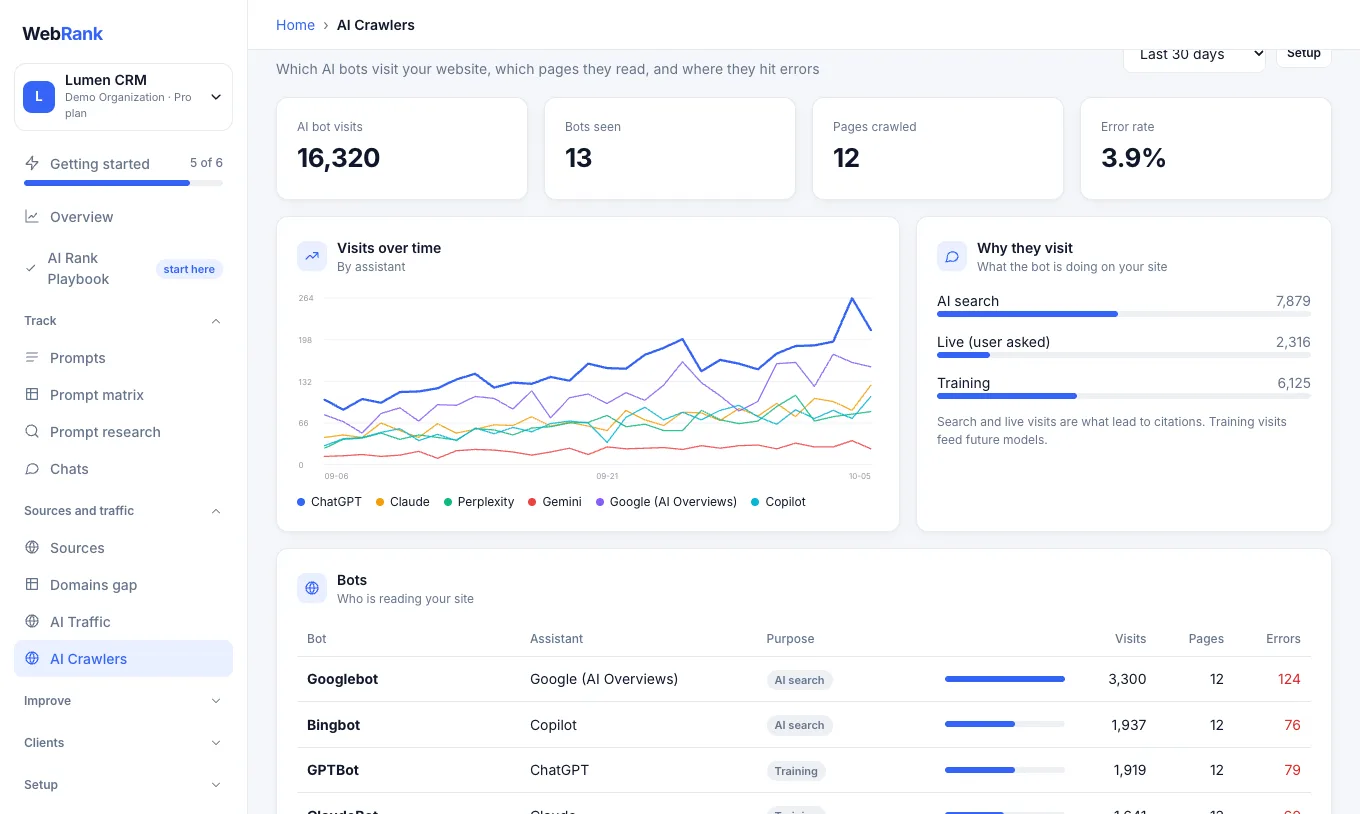
Before an assistant can recommend you, its bots have to read your site. AI Crawlers shows which bots visit, how often, which pages they read and where they fail.
What you will see#
| Section | What it tells you |
|---|---|
| AI bot visits, bots seen, pages crawled, error rate | A quick health summary |
| Visits over time | Which assistants visit, and when |
| Why they visit | Whether a bot is searching (leads to citations), answering a live user request, or training a future model |
| Bots | Each bot (for example GPTBot, ClaudeBot, PerplexityBot), its assistant and purpose, with visits, pages and errors |
| Most crawled pages | What the bots read most |
| Pages returning errors | Pages bots cannot read, so they cannot cite |
Search and live visits are the ones that lead to citations. Training visits feed future models.
Turn it on#
Bot visits are invisible in normal analytics, so you add a small snippet to your site once. WebRank shows the exact code for your workspace.
- Open AI Crawlers. If it is not set up yet, the page shows the instructions.
- Choose the tab that matches your site: Cloudflare (a Cloudflare Worker) or Node (middleware for a Node server).
- Copy the snippet and add it as shown. It contains your workspace key, so keep it out of public repositories.
- Data appears within a minute of the first bot visit. Bots usually show up within a day.
Ask your developer if you are unsure. The snippet only reports which AI bot asked for which page. It does not change your pages or collect visitor data.
Fix problems it finds#
- If pages return errors, repair or redirect them so bots can read them.
- If a bot you want is missing entirely, check that your
robots.txtand firewall do not block it. The AI Rank Playbook has a first step for this.
Related#
- AI Rank Playbook
- API and MCP: the data is also available at
/v1/crawlers.
Was something unclear or missing? Tell us. Last updated 2026-10-06.