Prompts and runs
A prompt is a question a buyer might ask an AI assistant, such as "What are the best CRM tools for small teams?". WebRank asks each prompt to every enabled assistant and records the answers.
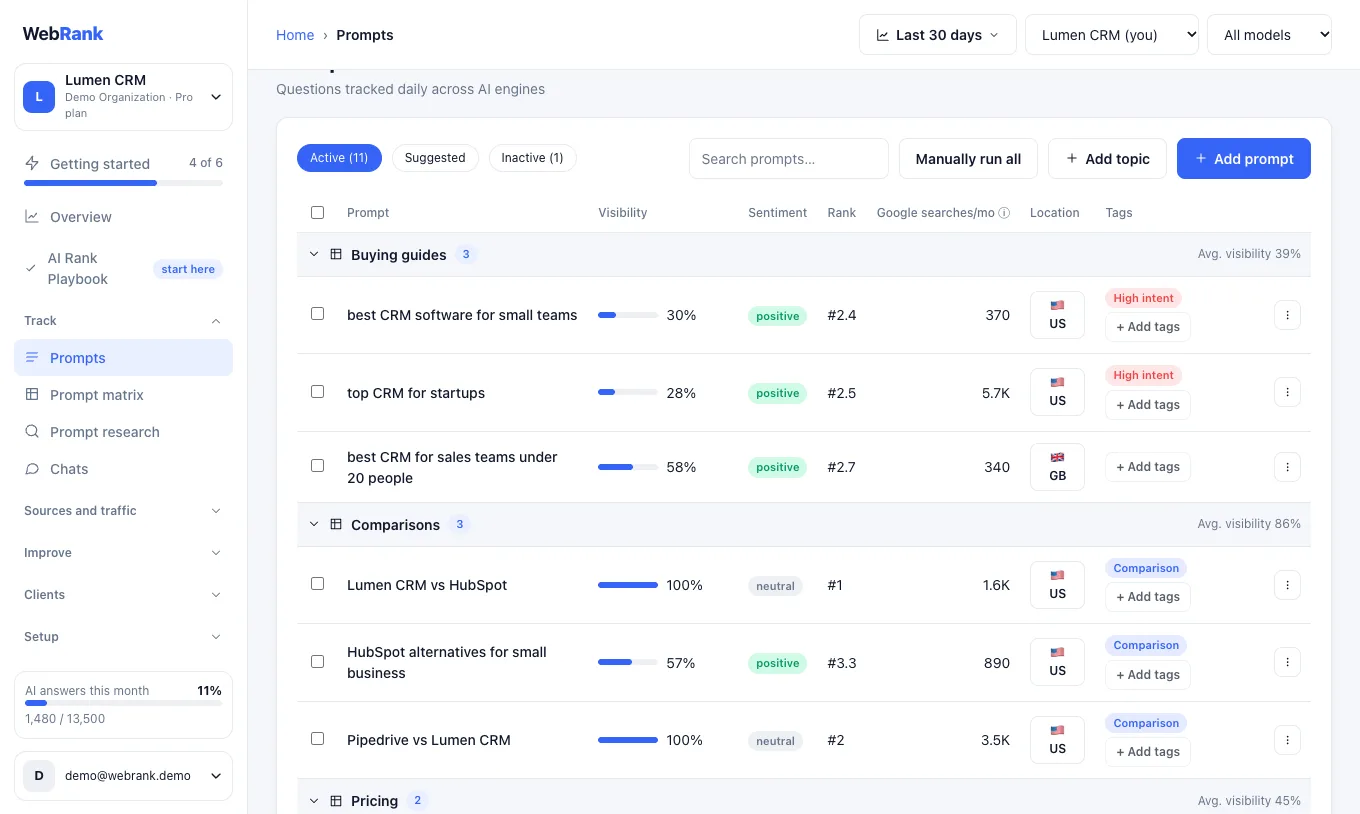
Add and organize prompts#
- Open Prompts in the sidebar.
- Choose Add prompt. Type one question per line (or upload a CSV file), then pick the location the question applies to, an optional topic to group it, and any tags.
- Choose Add topic to start a new group of related prompts.
- Open the Suggested tab to see questions WebRank proposes. Choose Track next to the ones you want.
Tip: Keep a mix. Most prompts should be questions a buyer asks before knowing any brand. Add one or two that name you directly, to learn how assistants describe you.
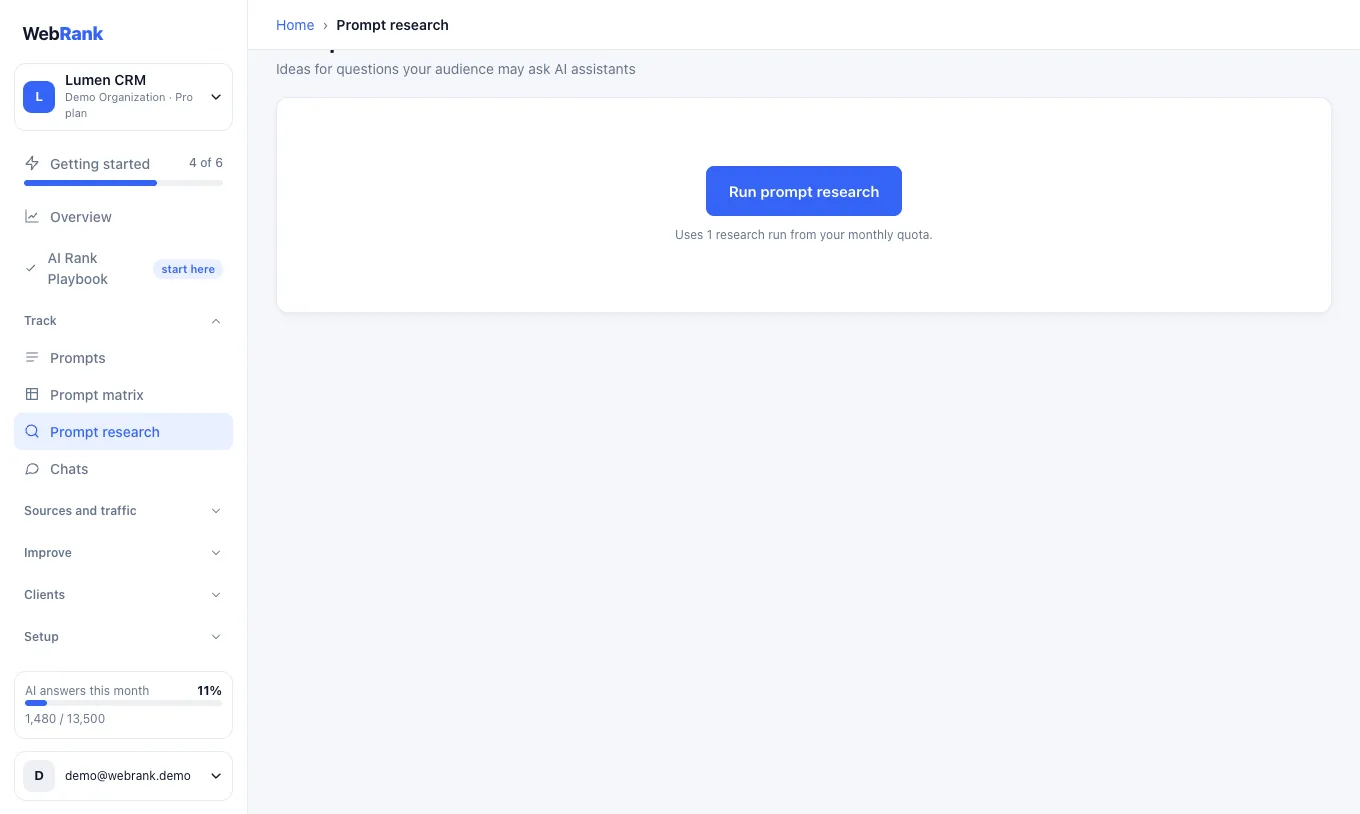
Find new questions#
Prompt research suggests questions people may ask, with the monthly Google search volume of the topic as a signal of demand. Assistants do not publish what people ask them, so Google volume is a proxy rather than a count of AI questions.
How often prompts run#
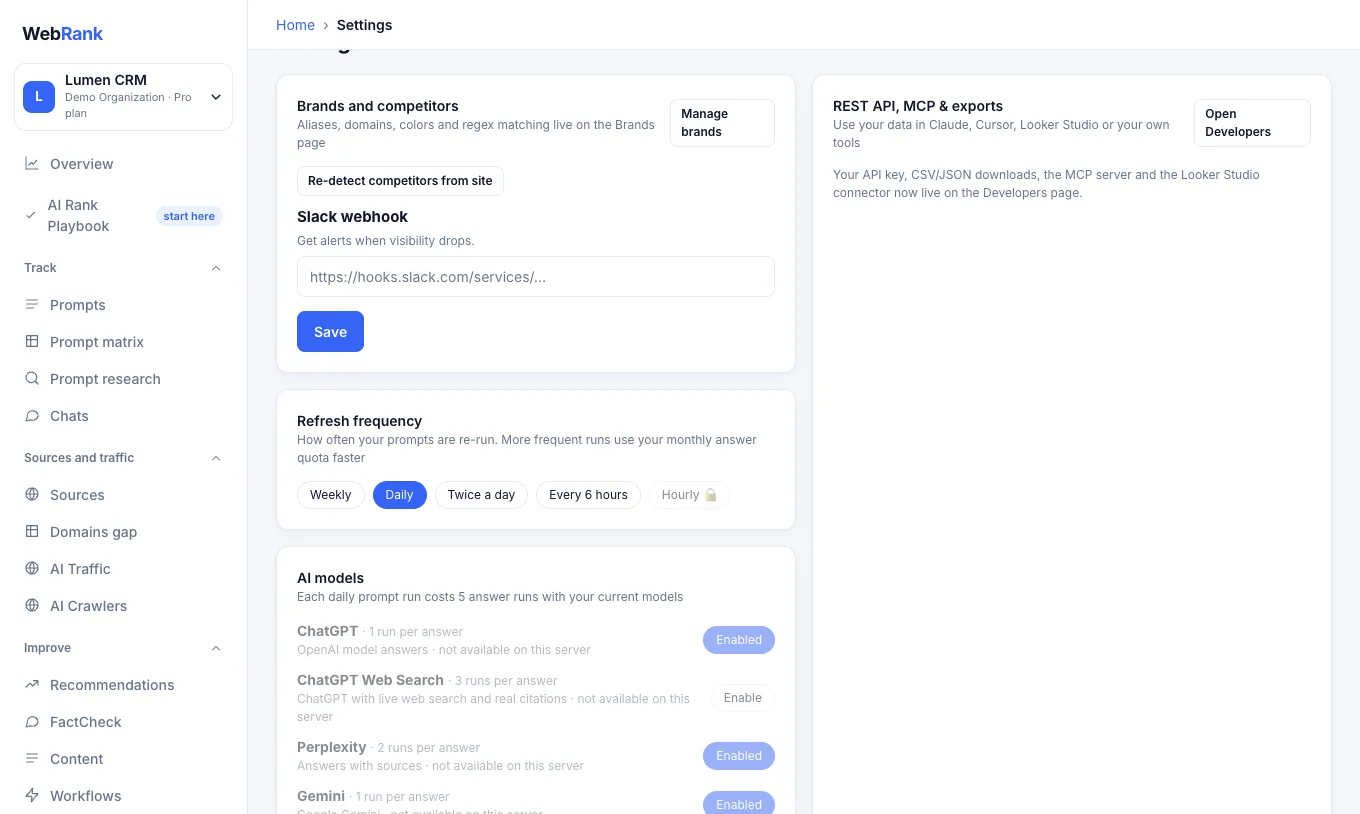
Prompts refresh on a schedule you choose in Settings, between weekly and every six hours depending on your plan (see Plans and limits). Press Manually run all on the Prompts page to check right now.
Choose the AI models#
In Settings, under AI models, switch assistants on or off. ChatGPT, Gemini, Claude and Perplexity are on by default. You can also enable ChatGPT Web Search, Google AI Overviews, Google AI Mode, Grok, DeepSeek and Mistral. The page shows how many answer runs one refresh of one prompt costs with your current choice.
How usage is counted#
Each answer an assistant gives uses one answer run. A few assistants cost more to query, so they count more.
| Assistant | Answer runs per answer |
|---|---|
| ChatGPT, Gemini, Claude, DeepSeek, Mistral | 1 |
| Perplexity, Google AI Overviews, Google AI Mode, Grok | 2 |
| ChatGPT Web Search | 3 |
For example, 10 prompts across ChatGPT, Gemini, Claude and Perplexity use 10 × (1 + 1 + 1 + 2) = 50 answer runs per refresh. Your monthly allowance and what you have used appear on the Billing page, and the allowance resets on the 1st of each month. See Plans and limits for the allowance on each plan.
Look closer at the answers#
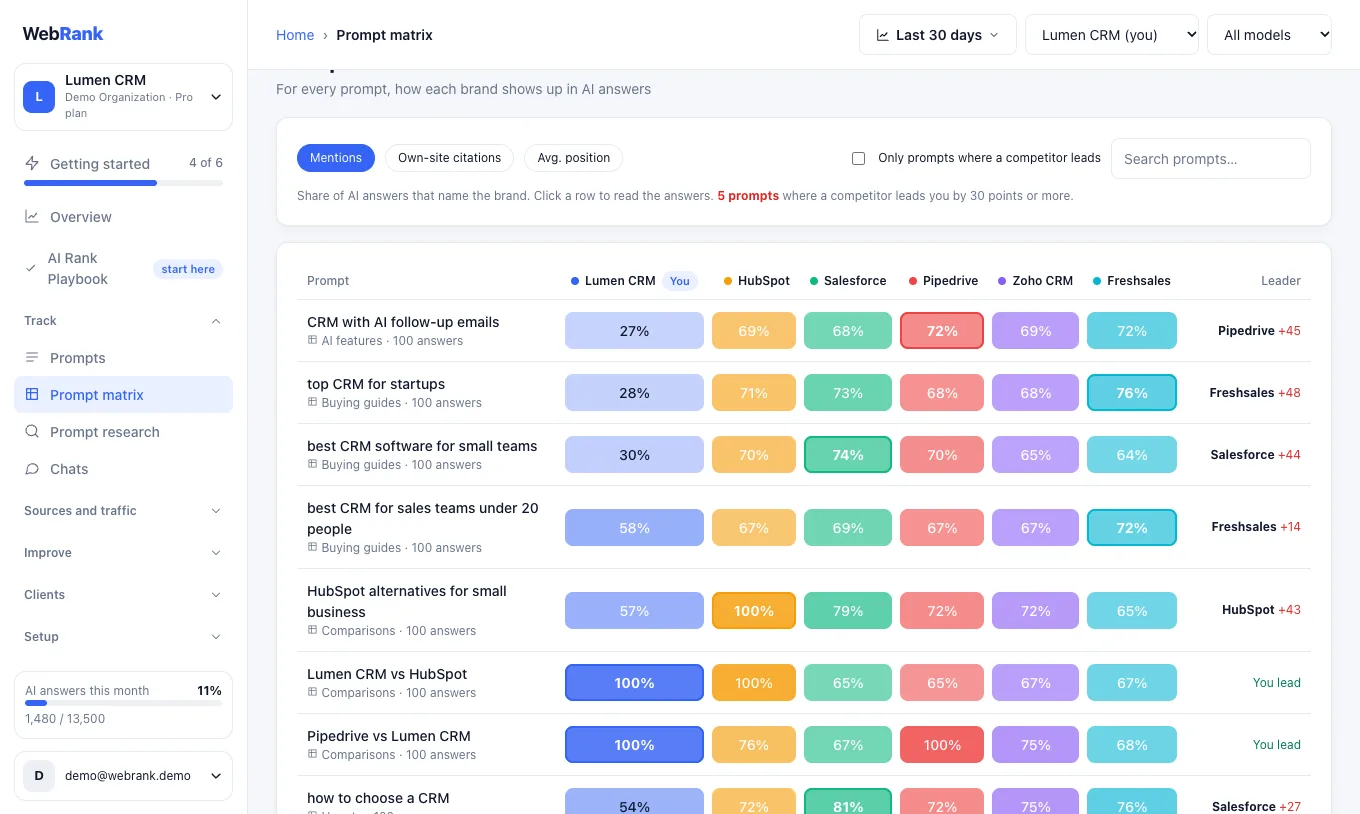
- Prompt matrix shows, for every prompt, how each brand appears.
- Chats shows how the answers to one prompt change over time, so you can see exactly what assistants said.
Related#
Was something unclear or missing? Tell us. Last updated 2026-10-06.